
SEO for Large Ecommerce Catalogues: What Changes at Scale
Almost every ecommerce SEO guide is written for a store with 200 products. Optimise every product description. Write unique content for each category. Build links to your key pages. All reasonable advice — and all of it quietly assumes a catalogue you can hold in your head.
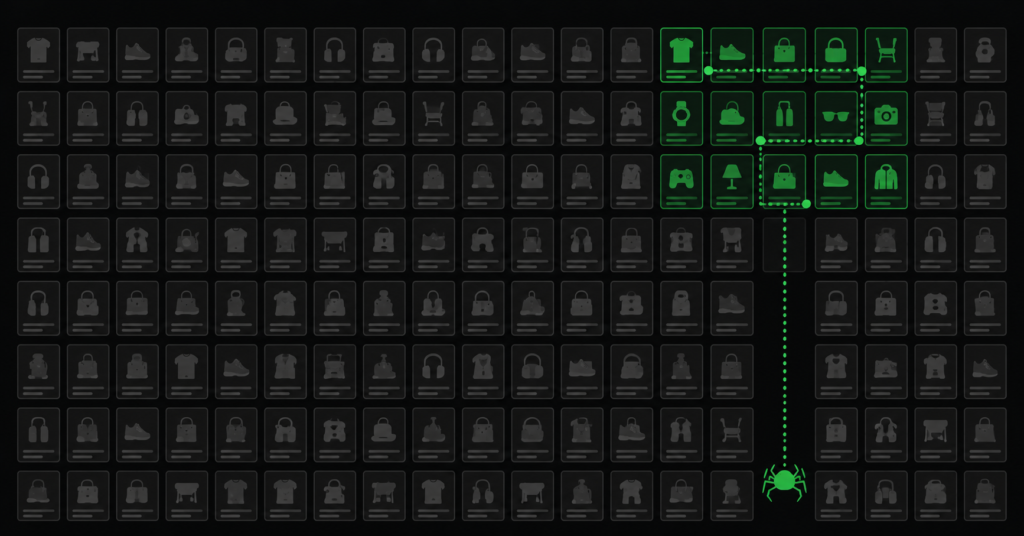
At 20,000 products, none of it survives contact with reality. You cannot hand-write 20,000 descriptions. You cannot manually check that every page is indexed. Googlebot will not crawl your entire site regularly, no matter how good your sitemap is. The tactics do not scale — and applying them anyway produces a lot of expensive work with very little return.
What changes at scale is not the principles. It is that SEO stops being an optimisation task and becomes a prioritisation and systems problem. This guide covers what actually shifts, and how to run SEO on a catalogue too big to optimise page by page.
What Breaks When Your Catalogue Gets Big
Four things stop working at scale — and they are the four that most SEO advice takes for granted.
| What breaks | What actually happens |
| Crawl coverage | Google allocates a crawl budget based on your authority and site health. On a large site, it will never crawl everything regularly — so a meaningful share of your catalogue is crawled rarely or not at all. |
| Manual optimisation | Writing unique copy, checking titles, reviewing internal links page by page is arithmetically impossible past a few thousand SKUs. The work has to become systematic or it does not happen. |
| Duplicate content | Filters, variants, and pagination multiply. A store with five filters across a hundred categories can generate more URLs than it has products — by orders of magnitude. |
| Issue detection | A broken template, a missing canonical, an indexation bug affects thousands of pages at once and can go unnoticed for months because nobody is looking at page 4,000. |
| “At scale, an SEO problem is never one page. It is a template. Every issue you find on a single product page almost certainly exists on the other 19,999 that use the same template — and every fix you make to that template fixes all of them at once. This is the single most important shift in thinking.” |
Think in Templates, Not Pages
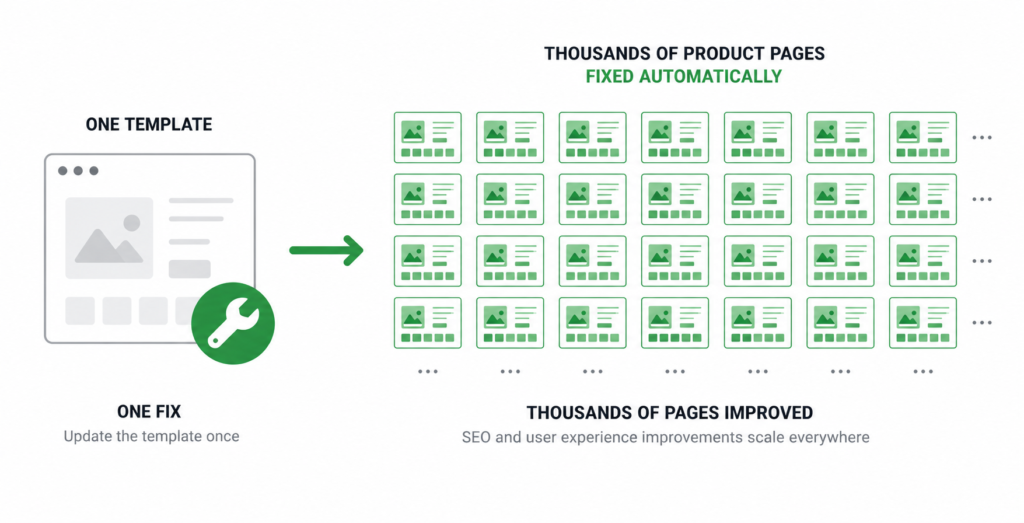
The defining insight of large-catalogue SEO: you are not optimising pages, you are optimising the handful of templates that generate them. A 20,000-product store typically runs on five to ten templates — product page, category page, subcategory, brand page, search results, and a few variants.
This inverts the workload. Instead of 20,000 optimisation tasks, you have perhaps eight. Get each template right and every page built from it inherits the improvement.
| Template element | What to systematise | Impact |
| Title tags | Dynamic formula pulling product name, key attribute, and brand — not “Product Name | Store” | Every product page gets a differentiated, keyword-relevant title |
| Meta descriptions | Formula using category, key spec, and a benefit — with a fallback for missing fields | Improves CTR across the whole catalogue at once |
| H1 structure | Consistent, pulling the full product name including differentiating attributes | Google reads the page topic correctly at scale |
| Product schema | Generated from your product database, not hand-written | Rich result eligibility across every product page |
| Internal links | Automated related-products and breadcrumb logic based on real category relationships | Distributes authority without manual linking |
| Canonical logic | Rule-based, handling variants and filters by pattern | Prevents duplicate proliferation systematically |
| The template trap: a formula that produces “Blue Widget | Store Name” across 20,000 products technically differentiates the pages but adds nothing Google can use. A good formula pulls the attributes that actually distinguish the product and match how people search — model number, size, key specification, brand. If the output reads like a database dump, the formula needs more thought. |
Crawl Budget Becomes a Real Constraint
On a 200-page site, crawl budget is a theoretical concern. On a 20,000-product site with filters, it is the constraint that determines whether your pages rank at all — because a page Google does not crawl cannot be indexed, and a page that is not indexed cannot rank.
The maths is unforgiving. If Googlebot crawls 2,000 URLs a day on your site and your site generates 200,000 crawlable URLs through filter combinations, your actual products are competing for attention with junk. Many will be crawled once a quarter. Some never.
Where crawl budget leaks on large catalogues:
- Filter and faceted URLs. The biggest offender by far. Five filters with four options each across a hundred categories generates a number of URLs that dwarfs your actual catalogue. See our guide on fixing duplicate content for the correct handling.
- Out-of-stock and discontinued products. Thousands of dead product pages that still resolve, still get crawled, and offer nothing.
- Deep pagination. A category with 300 pages of pagination consumes crawl on pages nobody reaches.
- Redirect chains. Every hop costs a crawl request. At scale, accumulated redirect chains from years of URL changes waste a meaningful share of budget.
- Slow server response. Googlebot reduces crawl rate on slow sites. A high TTFB directly shrinks how much of your catalogue gets seen.
| The crawl budget principle at scale: your job is not to get Google to crawl more. It is to make sure the crawl you already get is spent on pages that make you money. Blocking junk URLs is not defensive housekeeping — it is redirecting a finite resource toward revenue. |
Prioritise Ruthlessly — Not All 20,000 Pages Matter
The instinct on a large catalogue is to try to optimise everything. It is the wrong instinct, and it guarantees months of work with diffuse results.
In almost every large store, a small minority of pages produce the overwhelming majority of organic revenue. Your top categories and best-selling products are worth deep, manual attention. The long tail of rarely-searched SKUs is worth exactly what a good template gives them and no more.
| Page tier | Treatment | Effort |
| Top categories (10-50 pages) | Manual, deep optimisation | Unique content, buying guides, dedicated internal links, link building targets |
| Best-selling products (100-500) | Manual review, template-enhanced | Unique descriptions, original photography, schema verified individually |
| Mid-tier products (1,000-5,000) | Template + spot checks | Strong template output, sample-audited for quality |
| Long tail (the rest) | Template only | Correct titles, schema, canonicals. No manual work. Ensure they are crawlable and not harming site quality. |
Identify your tiers with data, not intuition. Pull organic landing pages from Search Console sorted by clicks, cross-reference with revenue per page from GA4, and the tiers reveal themselves. The pages you assumed mattered often do not; the ones quietly earning often surprise you.
Site Architecture Carries More Weight Than Anything
On a small site, architecture is a convenience. On a large catalogue, it determines what gets found. If a product sits eight clicks from the homepage, Google will treat it as unimportant regardless of how good the page is — and users will never reach it either.
The target on any catalogue size is the same — important pages within three clicks of the homepage — but achieving it at scale requires deliberate structure rather than luck:
- Flatten the hierarchy. Category → subcategory → product. Not category → subcategory → sub-subcategory → filter → product. Every extra level buries thousands of pages deeper.
- Use hub pages. Brand pages, “shop by attribute” pages, and curated collections create additional entry points and shortcuts into the depths of the catalogue.
- Automate internal linking intelligently. Related products pulled from genuine category relationships, breadcrumbs on every page, and blog content linking to commercial pages. See our internal linking guide for the full system.
- Segment your XML sitemaps. Split by page type — products, categories, blog. Search Console then reports indexation per segment, which turns “some pages are not indexed” into “43% of product pages are not indexed” — a diagnosable number.
Content at Scale Without Producing Thin Content
The hardest question on a large catalogue: how do you give 20,000 products unique content without a content team of fifty people?
The answer is structured templates with mandatory unique fields — not a generic paragraph with the product name swapped in. A workable template requires at least one genuinely product-specific sentence pulled from real attributes, alongside the systematised structure. Our guide on writing product descriptions covers the structure; at scale, the discipline is enforcing that the unique field is actually unique.
| The test at scale: pull five random product descriptions from different corners of your catalogue and read them back to back. If you could swap the product names and nothing would read wrong, your template is producing thin content at industrial volume — and Google will treat it accordingly. One genuinely specific detail per product is the minimum bar. |
AI can help produce this volume, and used correctly it is a legitimate tool — but the risk is the same one as a bad template: if every output follows an identical structure with only attributes swapped, you have automated thin content rather than solved it. The human input is ensuring each product has a real, specific detail worth saying.
Monitoring: Catching Template Bugs Before They Cost Months
At scale, the most expensive SEO failures are not strategic — they are template bugs that silently affect thousands of pages. A developer ships a change that removes canonical tags from product pages. A plugin update breaks schema output. A robots.txt edit blocks a category branch. Nobody notices for three months because nobody was looking.
What to monitor on a large catalogue:
- Indexed page count by sitemap segment. A sudden drop in indexed product pages is the earliest warning of a template-level problem.
- Crawl stats in Search Console. Watch average response time and pages crawled per day. A spike in crawled URLs with no new products means junk URLs are multiplying.
- Schema error counts. The Enhancements report shows structured data errors in aggregate — a jump from 12 to 4,000 errors overnight is a template break, not a content problem.
- Scheduled crawls. A monthly crawl of the site catches missing titles, broken canonicals, and redirect chains across the catalogue before Google reacts to them.
| The rule for large catalogues: measure in aggregates, not individual pages. Nobody can watch 20,000 pages. Everyone can watch a number that says “product pages indexed: 18,400” and notice when it becomes 11,000. |
FAQ
Do I need to optimise every product page on a large catalogue?
No, and trying to is a mistake. Your top categories and best-selling products deserve manual, deep optimisation. The long tail needs a correct template — good titles, valid schema, proper canonicals, crawlable structure — and nothing more. The return on hand-optimising a product that gets four searches a month does not exist. Spend that effort on the pages that carry your revenue.
How do I know if crawl budget is actually a problem for my store?
Check Search Console: Settings → Crawl stats. Compare pages crawled per day against your total URL count. If Google crawls 2,000 URLs a day and you have 200,000 crawlable URLs, your full catalogue takes 100 days to cycle — meaning most pages are effectively stale. Also check the Pages report: a large “Discovered — currently not indexed” bucket is a direct symptom of crawl budget exhaustion.
Should I remove or noindex my long-tail products?
Usually neither. Long-tail products still convert — they just do not need individual attention. Removing them removes revenue. Noindexing them removes their ability to rank for the specific searches they do serve. The correct approach is to let them exist with good template output, ensure they are crawlable, and make sure they are not so thin that they drag on overall site quality. Remove only genuinely dead products with no traffic and no sales.
Is a large catalogue harder to rank than a small one?
It is different rather than harder. A large catalogue has real advantages — more pages to rank, more long-tail coverage, more internal linking potential, and usually more topical authority in the category. The difficulty is operational: the technical foundation has to be right because errors multiply, and the prioritisation has to be disciplined because effort spread evenly across 20,000 pages accomplishes nothing.
| Running a catalogue too big to audit page by page? We audit large ecommerce stores at the template level — finding the issues that affect thousands of pages at once, prioritised by which pages actually drive revenue. Get an SEO Audit → No commitment. No generic report. martraff.com |