How to Read the New AI Performance Reports in Search Console
For two years, the honest answer to “am I showing up in AI Overviews?” was: nobody knows. AI impressions were folded into your overall Search Console numbers with no way to separate them, and every estimate came from third-party tools inferring what Google would not disclose.
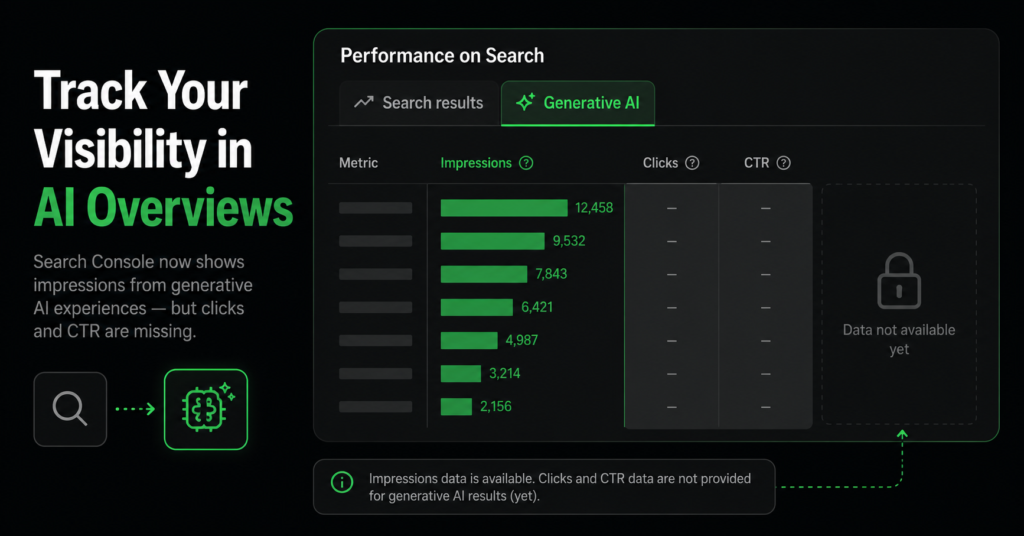
That changed on 3 June 2026, when Google launched dedicated Search Generative AI performance reports in Search Console — a separate view showing how often your pages appear inside AI Overviews, AI Mode, and generative AI features in Discover. For the first time, this is first-party data from Google itself.
It is a genuinely useful addition, and it is also more limited than most of the coverage suggests. This guide covers what the report actually shows, the significant thing it leaves out, and what an ecommerce store should sensibly do with it.
Why This Report Matters Now
The context is the scale AI features have reached in search results.
| 48%+ of Google searches show AI Overviews March 2026 | 6.5% the same figure a year earlier 2025 | 3 Jun AI reports launched in Search Console 2026 |
AI Overviews appear on more than 48% of total Google searches as of March 2026, compared with roughly 6.5% a year earlier. Whatever your view of that shift, it means a large and growing share of your search visibility now happens inside an AI answer rather than a blue link — and until June you had no way to measure it.
| “This is not new data — Google confirmed AI impressions were always counted in your overall performance totals. What changed is that you can now see them separately. Your aggregate numbers do not move; your understanding of them does.” |
What the Report Actually Shows
The report sits inside the Performance section of Search Console as a dedicated Generative AI view alongside the standard Search results tab. It covers two surfaces, reported separately: generative AI features in Search (AI Overviews and AI Mode), and generative AI features in Discover.
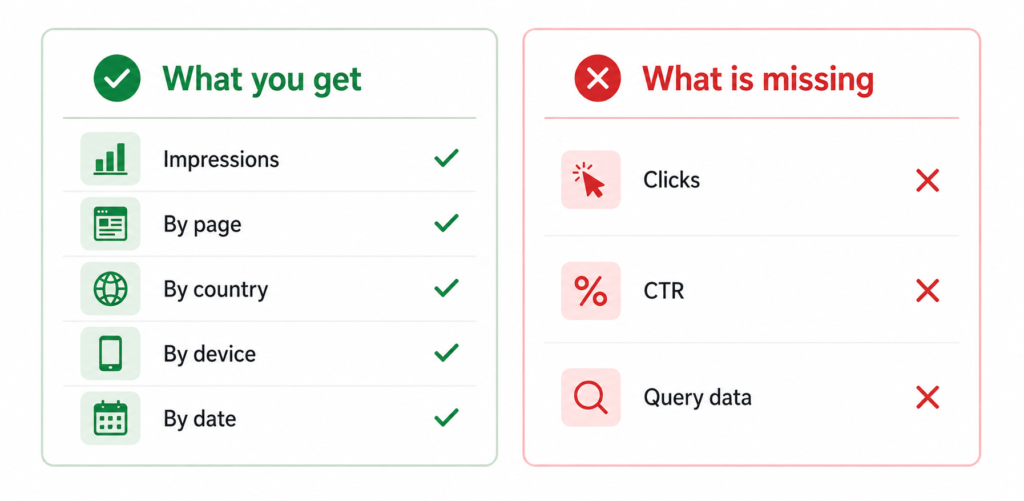
| Metric | Available? | What it means |
| Impressions | Yes | How often a URL from your site appeared within an AI feature. The core metric of the report. |
| By page | Yes | Which specific pages are being surfaced in AI answers — the most actionable breakdown. |
| By country | Yes | Where the AI visibility is coming from geographically. |
| By device | Yes | Mobile vs desktop split of AI impressions. |
| By date | Yes | Trend over time, from hourly to monthly aggregation. |
| Clicks | No | Not included in the current version. |
| CTR | No | Not available — follows from clicks being absent. |
| Queries | No | You cannot see which searches triggered the AI impression. |
| The significant gap: no clicks, no CTR, no query data. You can see that your pages appear in AI answers and how often — but not whether anyone clicked through, and not which searches triggered the appearance. This means the report measures visibility, not traffic value. Treat it as one input, not a performance metric you can optimise against. |
Whether You Have It Yet
The rollout is phased. Google launched to a subset of properties on 3 June 2026 and expanded access on 23 June, with UK site owners among the first wave — tied in part to regulatory pressure from the UK Competition and Markets Authority. There is no opt-in process; access appears automatically inside the Performance section once your property is included.
If you do not see a Generative AI tab in your Performance report yet, your property is simply not in the rollout. There is nothing to configure and no waiting list — a global rollout is planned but Google has not committed to a date.
| A practical note on the data: the report follows the same conventions as the standard Performance report — 1,000-row table limit, Pacific Time aggregation, and the most recent days shown as preliminary with a dotted line. An export button is available. Do not read the last two or three days as final. |
What an Ecommerce Store Should Do With This Data
The temptation with any new report is to treat it as a target. Given what this one leaves out, that is the wrong move. Here is what it is genuinely good for.
1. Find out which pages AI is actually surfacing
The per-page breakdown is the most useful part. It tells you which of your pages Google’s AI systems consider worth citing — often not the pages you would expect. Buying guides, comparison content, and detailed category pages frequently outperform product pages here, because AI answers favour content that resolves a question directly.
Use it as a signal about content type: if your guides are being surfaced and your product pages are not, that tells you something about what earns AI citation in your category.
2. Watch the trend, not the number
Without clicks, an absolute impression count means little. The trend does mean something: AI impressions rising steadily while your standard search impressions hold suggests your content is gaining traction in AI surfaces. A sharp drop after a site change is worth investigating.
3. Compare against your overall performance
Read the AI report alongside the standard Performance report rather than in isolation. If AI impressions grow while total clicks fall, that is the zero-click dynamic playing out on your site specifically — useful evidence, and something you can only see now that the two are separated. Our guide to reading Google Search Console covers the standard reports this one sits alongside.
4. Do not restructure your SEO around it yet
The report shows visibility without value. Until click data exists, you cannot know whether an AI impression sends traffic, replaces a click you would otherwise have earned, or does nothing at all. Making significant strategy decisions on a metric with no known commercial outcome is premature.
| The sensible reading: use the AI report as context for what is already working, not as a new target to optimise. The things that get you cited in AI answers — clear content that resolves intent, accurate structured data, fast pages, genuine authority — are the same things that rank you in ordinary search. This is an extension of SEO, not a separate discipline. |
The Block Toggle — and Why to Be Careful
Alongside the reports, Google added a control that lets you block your content from appearing in AI Overviews, AI Mode, and Discover AI features.
For a publisher whose business model depends on clicks to ad-supported pages, this is a real consideration. For an ecommerce store, it usually is not. Being cited in an AI answer about your product category is brand exposure at the moment someone is researching a purchase — and blocking it removes a visibility surface without recovering any guaranteed traffic in exchange.
| Before touching that toggle: you have no click data. You cannot currently measure what blocking would cost you, because Google does not yet report what AI appearances are delivering. Making an irreversible-feeling visibility decision without the metric that would justify it is a decision worth deferring until the data exists. |
What Actually Gets an Ecommerce Store Cited
The report tells you whether you appear. It does not tell you how to appear more. The practices that increase the chance of being cited are, unsurprisingly, the fundamentals:
- Content that answers directly. AI answers are built to resolve intent. Content structured around a clear question with a clear answer is more citable than content that circles a topic.
- Accurate structured data. Complete, correct product schema helps Google’s systems understand exactly what your page describes — price, availability, condition, ratings.
- Fast, technically sound pages. Slow pages are consistently underrepresented in AI answers. The technical foundation matters as much here as for standard rankings.
- Genuine authority in the category. AI systems weigh source credibility. The same trust signals that support rankings support citation.
None of this is new work — it is the same list that produces good organic rankings. The broader picture of how AI search changes ecommerce visibility is covered in our guide to GEO and AI search.
FAQ
Why does the report not show clicks?
Google has not explained the omission, and it is the most-requested addition. The practical consequence is that the report measures visibility rather than value: you can see that your page appeared in an AI answer, but not whether that appearance sent anyone to your site. Until click data is added, treat impressions as a presence signal, not a traffic metric.
Do these AI impressions change my overall Search Console numbers?
No. Google confirmed AI impressions were always included in the overall Performance report totals — they simply were not labelled. The new report is a breakout view of data that was already counted. If your aggregate impressions look the same as before, that is expected and correct.
I do not have the Generative AI tab — what do I do?
Nothing, at this stage. The rollout is phased and automatic, starting with a subset of properties and expanding. There is no opt-in, no waiting list, and no setting to enable. Access appears in the Performance section once your property is included. Check periodically rather than troubleshooting.
Should I block my store from AI Overviews?
For most ecommerce stores, no. Appearing in an AI answer during someone’s product research is brand visibility at a high-intent moment, and blocking removes that without guaranteeing you recover a click instead. More importantly, you currently have no click data with which to evaluate the trade-off. Publishers with click-dependent ad models face a genuinely different calculation; a store selling products generally does not.
| Want to know where your store stands across search and AI surfaces? An SEO audit reads your full Search Console data — standard and AI reports — alongside technical and content review, and tells you what is actually costing you revenue. Get an SEO Audit → No commitment. No generic report. martraff.com |